


If you are running a business and using GMV Max in TikTok Ads, especially with Affiliate videos, you probably know that GMV Max automatically pushes all your ad content. This includes Search & Discovery placements in TikTok Shop, as well as your videos with product links.
However, letting your videos run continuously in a GMV Max campaign without monitoring or applying TikTok Ads Optimization is a quick way to drain your advertising budget without getting a worthwhile return.
At Digital Break Time, we regularly audit and optimize campaigns. We constantly face the decision of which videos deserve to keep running and which ones need to be paused immediately to maximize ad performance. To help you choose video TikTok ads more effectively, we have categorized the types of affiliate videos you will encounter today into two groups: the ones you should keep, and the ones you must remove.
How to Choose Video TikTok Ads for GMV Max
- Fake Promotions and Extreme Overclaiming (Stop it, Remove immediately)
- Unrealistic AI-Generated Videos (Stop it, Remove immediately)
- High Cost, Low ROI Budget Burners (Stop it, Remove immediately)
- Fatigued “Angel” Ads That No Longer Convert (Stop it, Remove immediately)
- Raw, Unpolished Videos with High GMV and ROI (Keep them, with conditions)
- Conclusion: How to Choose Video TikTok Ads Effectively
Fake Promotions and Extreme Overclaiming (Stop it, Remove immediately)
You might have seen these videos lately: no real product review, just someone holding a product with voiceovers or text overlays promising unbelievable promotions. While highlighting real promos is great, many affiliates create “fake promotions” (like 50% off or Buy 1 Get 1 Free) that your brand has never actually offered. This is pure clickbait designed to drive traffic to the product cart. When customers realize the promo doesn’t exist, they feel deceived. Some might blame the influencer, but worse, it damages your brand’s reputation. You need to remove these fake promo videos from your GMV Max campaigns immediately.
Another common issue is extreme overclaiming, especially in the supplements, cosmetics, and skincare niches. Your product might simply be a good moisturizer, but the creator claims it magically whitens skin or instantly erases wrinkles. Even though TikTok has a screening system, some of these videos slip through. If you spot them, remove them. If you don’t, your brand could be held responsible for false advertising.
Unrealistic AI-Generated Videos (Stop it, Remove immediately)
With the rise of AI, we are seeing more Affiliate videos fully generated by artificial intelligence. If the video maintains high quality and accurate product details, it’s not an issue.
However, AI-generated videos often make the product material look too perfect or demonstrate usage that isn’t true to life. This creates unrealistic expectations. When customers buy the product and realize the reality doesn’t match the AI video, it leads to low-star reviews. These bad reviews will severely impact your future sales. If you find an AI video that doesn’t accurately represent your actual product, it’s best to cut it.
High Cost, Low ROI Budget Burners (Stop it, Remove immediately)
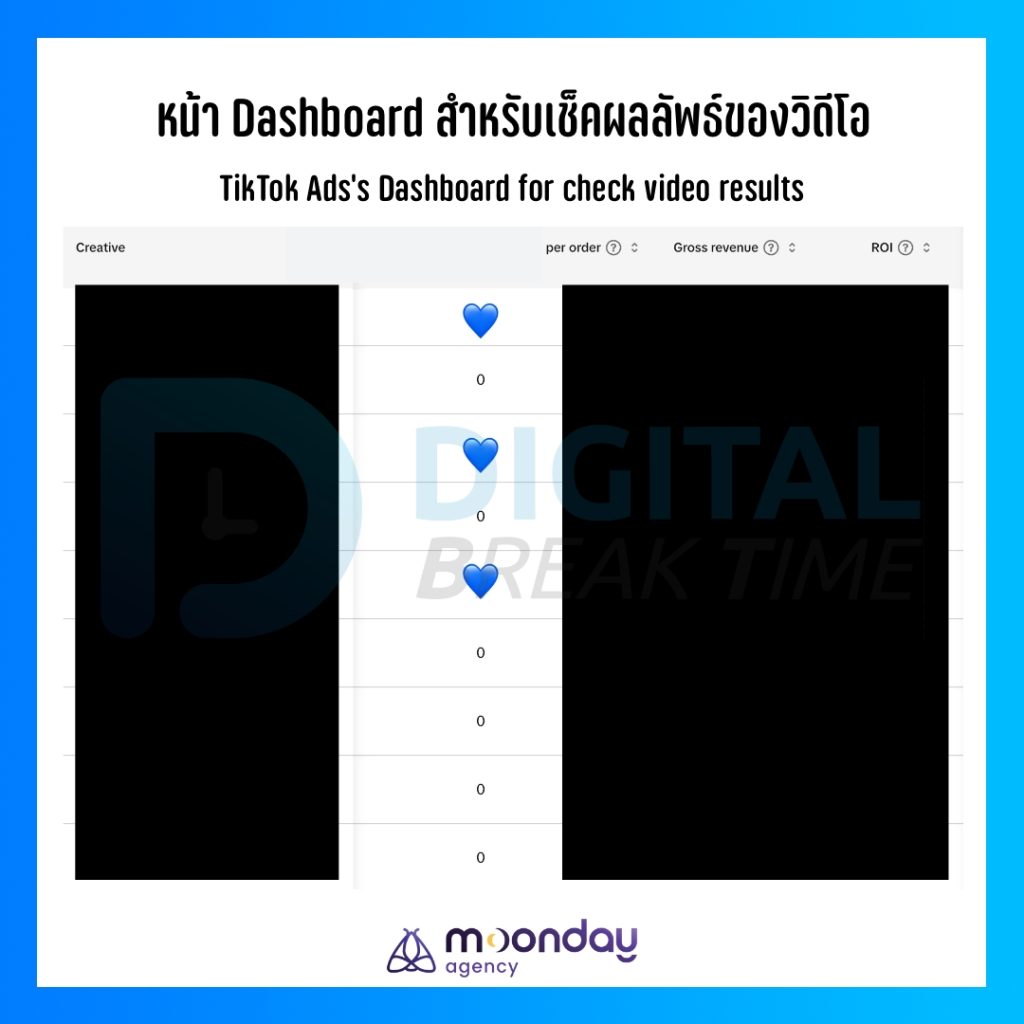
This one is straightforward: if a video is spending a lot of your budget but generating low GMV (Gross Merchandise Value) and low ROI (Return on Investment), you must remove it. Leaving it active will only drain your budget further. Cut your losses early so your ad spend can be redirected to better-performing videos.
Here is a quick step-by-step guide to TikTok Ads Optimization for finding and excluding budget-burning videos:
- Go to TikTok Ads (or TikTok Seller Center) > GMV Max.
- Look at the left tab and select Creative.
- Choose your desired timeframe and scroll down to the individual video performance section.
- Scroll right to find the Cost column. Click the header to sort videos by highest cost.
- Compare the Cost against the ROI and see if the Cost per Order is too high.
- Once you decide to cut a video, copy and list its Video ID.
- Go back to your GMV Max Campaign. Under Action, click “…” and select Edit Campaign.
- Scroll to Ad Creative and click Manage.
- Select Advanced Settings and turn on Exclude Some Videos.
- In the Exclusion Filters, choose TikTok Post.
- Paste the Post IDs you copied (you can add multiple) and hit Save.
This effectively stops problematic videos from running, ensuring your budget is spent wisely.
Fatigued “Angel” Ads That No Longer Convert (Stop it, Remove immediately)
In the digital marketing world, we often call highly successful creatives “Angel Ads” or winning creatives. These are the videos that have consistently delivered amazing results. But the market changes. One day, your all-time best video might stop performing well—not just for a few days, but for months.
It can be emotionally difficult to turn off these ads because they have accumulated massive views, likes, and positive customer comments. However, when the time comes, you must let them go. If the 1 to 2-month historical average shows no sign of recovery, it’s time to pause it. By doing this, you reallocate the budget to other videos that are currently driving better ROI and GMV. Don’t worry, you will eventually find your next “Angel Ad.”
Raw, Unpolished Videos with High GMV and ROI (Keep them, with conditions)
Finally, we have a very common type of TikTok video: the raw, unpolished, homemade review. The production value might be zero, and it might completely clash with your brand’s premium aesthetic. You might hate how it looks.
However, when you check the backend dashboard, you see it’s driving massive GMV and incredibly high ROI.
Personally, at Digital Break Time, we always let these videos run. We prioritize performance. These raw videos reflect what a large segment of TikTok users actually wants: authenticity. They don’t want high production; they want a sincere review showing how the product actually works. As long as the video is honest and doesn’t explicitly damage your brand’s core image, keep it running and enjoy the sales.
Conclusion: How to Choose Video TikTok Ads Effectively
Ultimately, the principle of how to choose video TikTok ads for your GMV Max campaigns is simple. Any video that risks damaging your brand reputation (like fake promos, overclaims, or misleading AI) must be removed. Any video that burns budget without a good return must also go.
But if a video—no matter how raw or unpolished—is generating strong GMV, high ROI, and isn’t harming your brand image, keep it. Proper TikTok Ads Optimization ensures your GMV Max campaigns run efficiently, giving you the best possible return on your investment.
Follow Digital Break Time
Facebook, X, Line Official Account, Instagram, Spotify, YouTube, Apple Podcast
Originally in Thai. Translated to English with the help of Gemini.